How to add or remove startup apps on Mac?
Login items
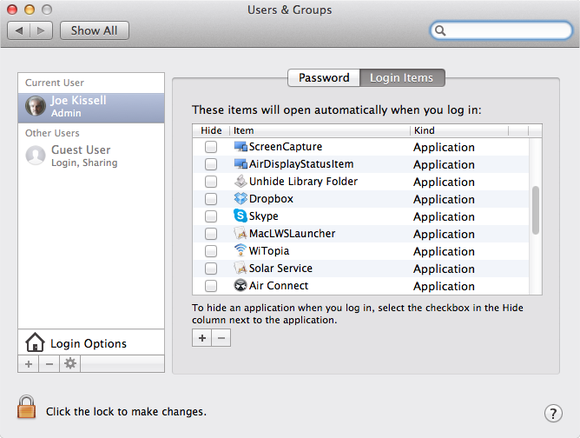
Open System Preferences and click on Users & Groups, then click the Login Items tab. (there are "-" and "+", it mean remove or add.)You'll see a list of apps (and even files and folders) that open every time you log in. This list is different for each user account on your Mac.
Items usually end up on this list because apps added them to it. Most apps that do so ask you for permission first or have an "Open at login" or similar checkbox in its settings. In any case, you can add an item to the list manually by clicking the (+) button, or remove an item by selecting it and clicking the minus sign (-) button.




Comments
Post a Comment